
Sweepstakes Casino Mobile Apps: What Works on iOS, Android, and Why Most Are PWAs
 Available in GB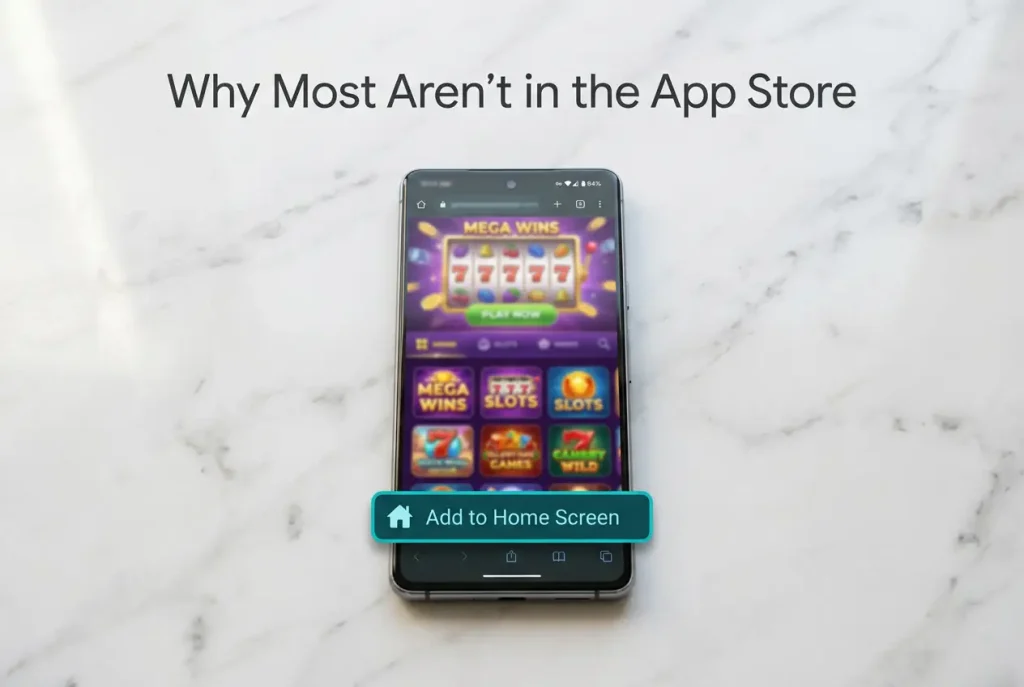
Android
If you’ve searched the App Store for your favorite sweepstakes casino, you probably didn’t find it. That’s not a glitch, and the platform hasn’t forgotten to build a mobile app. The vast majority of sweepstakes casinos don’t have native iOS or Android applications — and the reason has everything to do with Apple and Google’s platform policies, not with the operators’ technical capabilities.
Instead, most sweepstakes platforms deliver their mobile experience through Progressive Web Apps (PWAs): browser-based applications that look and behave like native apps but run inside Safari or Chrome. You can add them to your home screen, launch them with a tap, and play full-screen without visible browser bars. But underneath the surface, they carry limitations that native apps don’t — and understanding those limitations matters if you’re planning to play on your phone, which, given that mobile devices account for a dominant share of online gambling traffic worldwide, describes most of the sweepstakes audience.
This guide covers why most sweepstakes casinos aren’t in the App Store, what PWAs can and can’t do, and how to evaluate the mobile experience before committing time or money to a platform.
PWA vs Native Apps: Why Most Sweepstakes Casinos Live in Your Browser
A Progressive Web App is a website that behaves like an app. It loads through a browser engine, uses web technologies (HTML, CSS, JavaScript) rather than platform-native code, and can be “installed” to your home screen through the browser’s menu. When launched from the home screen, a well-built PWA opens in a standalone window without the browser’s address bar, creating an experience that visually mimics a native application. The user might not even realize they’re running a web page.
For sweepstakes casino operators, PWAs solve several problems simultaneously. Development is cheaper — one codebase runs on every device with a modern browser, instead of maintaining separate iOS and Android builds. Updates deploy instantly on the server side without requiring users to download patches through an app store. And most critically, PWAs bypass the app store review process entirely. There’s no submission, no compliance check, no revenue-sharing requirement, and no risk of being pulled from the store overnight.
That last point is the real driver. Apple takes a 30% commission on in-app purchases, and both Apple and Google maintain content policies that restrict gambling-related applications. For sweepstakes operators — whose legal status sits in a gray zone between gaming and gambling — submitting to app store review invites scrutiny they’d rather avoid. A PWA that lives on the open web answers to no platform gatekeeper.
The tradeoffs are real, though. PWAs on iOS cannot send push notifications reliably (Apple added partial support in iOS 16.4, but implementation remains inconsistent). They have no access to device hardware beyond what the browser API permits — no NFC, limited biometric authentication, and restricted background processing. Storage limits can cause session data to clear unexpectedly, particularly on iOS where Safari aggressively manages web storage. And PWAs cannot appear in app store search results, which eliminates a major organic discovery channel.
On Android, the picture is slightly better. Chrome supports PWAs more fully — push notifications work, installation prompts are more prominent, and the “Add to Home Screen” flow feels more native. Some operators go further by distributing Android APK files (sideloaded installation packages) that function as lightweight native wrappers around the web experience. These aren’t true native apps — the slot games still run in a web view — but they provide a closer approximation of the native app experience, including push notifications and home screen presence. The catch is that sideloading requires the user to enable “Install from Unknown Sources” in their device settings, which introduces a security consideration that tech-savvy users may tolerate but casual players reasonably hesitate over.
iOS Restrictions: Why Apple Won’t Let Them In
Apple’s App Store Review Guidelines are explicit about gambling content. Section 5.3 covers gaming, betting, and lotteries, and the requirements for inclusion are stringent: apps that facilitate real-money gambling must be developed by licensed operators, must be geographically restricted to jurisdictions where the operator holds a valid license, and must undergo Apple’s internal review for gambling compliance. Apps that don’t meet these requirements are rejected.
Sweepstakes casinos occupy an awkward position under these rules. They argue they’re not gambling — that’s the legal foundation of the entire model. But the App Store review team evaluates the user experience, not the legal theory. An app where you spend money, play slots, and receive cash prizes looks like gambling to Apple’s reviewers regardless of the dual-currency structure underneath. Some sweepstakes operators have reportedly attempted App Store submissions and been rejected; others haven’t tried, recognizing the outcome as predetermined.
The workaround is Safari PWA. iOS users access sweepstakes platforms through Safari, where the operator’s mobile-optimized website loads with a responsive design that adapts to the iPhone’s screen dimensions. The “Add to Home Screen” option creates an icon that launches the site in a standalone window — no address bar, no visible browser chrome. For slot gameplay, the functional difference from a native app is minimal. Reels spin, bonus features trigger, and SC balances update in real time through the browser engine.
Where the limitations surface is around the edges. Payment processing through Safari can be clunkier than in-app purchases — you’re entering credit card details into a web form rather than using Apple Pay or stored payment methods (some platforms have integrated Apple Pay via web, but adoption is uneven). Session persistence is less reliable; Safari may clear cached data after periods of inactivity, requiring you to log in again. And without native push notifications on older iOS versions, you’ll miss time-sensitive promotions and daily login reminders unless you check manually or subscribe to the platform’s email list.
None of these limitations are deal-breakers for most players, but they create friction that native apps eliminate by design. The irony is that regulated iGaming operators — DraftKings, FanDuel, BetMGM — have native iOS apps because they hold state licenses that satisfy Apple’s requirements. Sweepstakes casinos, which operate without those licenses, are locked out of the ecosystem that their licensed competitors use freely.
How the Mobile Experience Actually Plays
The quality gap between desktop and mobile sweepstakes play has narrowed considerably, but it hasn’t disappeared. Modern slot providers build games in HTML5 with responsive layouts, which means the same game engine renders on both a 27-inch monitor and a 6.1-inch phone screen. The visual fidelity scales down gracefully — animations remain smooth, UI elements reposition for touch interaction, and spin mechanics feel responsive on current-generation devices.
Touch controls introduce both advantages and compromises. Swiping to spin feels more intuitive than clicking a mouse button, and tap-based bet adjustment is natural on a touchscreen. But smaller screens compress the information density: paytable details, win multipliers, and bonus indicators that display comfortably on desktop can become cramped or require additional taps to access on mobile. Games with complex bonus rounds — cascading reels, multi-level free spin features, grid-based mechanics — sometimes feel cluttered on phones with screens smaller than 6 inches. Given that AGA research shows 90% of sweepstakes players consider their activity gambling, the mobile interface is effectively a gambling terminal in your pocket — and the ease of access that makes mobile convenient also makes it harder to maintain spending discipline. Only 12% of users ever purchase coins, according to Responsible Gambling Council data, but for that paying minority, a slot machine available every time you unlock your phone changes the behavioral equation.
Performance varies by device age and browser version more than by game complexity. A slot running smoothly on an iPhone 14 might stutter on an iPhone 11, not because the game is poorly optimized but because the browser engine on older hardware allocates fewer resources to JavaScript-heavy web applications. Android devices show even wider performance variance due to the diversity of chipsets, screen resolutions, and browser versions across the ecosystem. If you’re experiencing slow loading times or choppy animations, clearing your browser cache and closing background tabs typically resolves the issue. Persistent performance problems usually indicate a device limitation rather than a platform deficiency.
Provider quality matters on mobile more than on desktop, because the constraints of a smaller screen and touch interface amplify design decisions. Hacksaw Gaming and BGaming, for instance, have built reputations for mobile-first design — their slot interfaces are designed for vertical play with large touch targets and clean visual hierarchies. Older titles from providers who designed primarily for desktop and adapted to mobile afterward can feel cramped, with buttons positioned too close together or text scaled too small for comfortable reading. When evaluating a platform’s mobile experience, the game library’s provider composition tells you more than any screenshot or promotional claim.
Sweepstakes Casino Mobile Apps — More on this topic at sweepstakes slot machines.
See also How to Redeem Sweeps Coins.